Lindy vs Microsoft Copilot
Lindy and Microsoft Copilot are both agent AI tools, tracked here on price, platforms, integrations, and capabilities. Every figure below is read from the vendor's own pages and dated. No score and no winner: the facts do the picking.

Lindy
Personal AI work assistant for inbox meetings and calendar task delegation
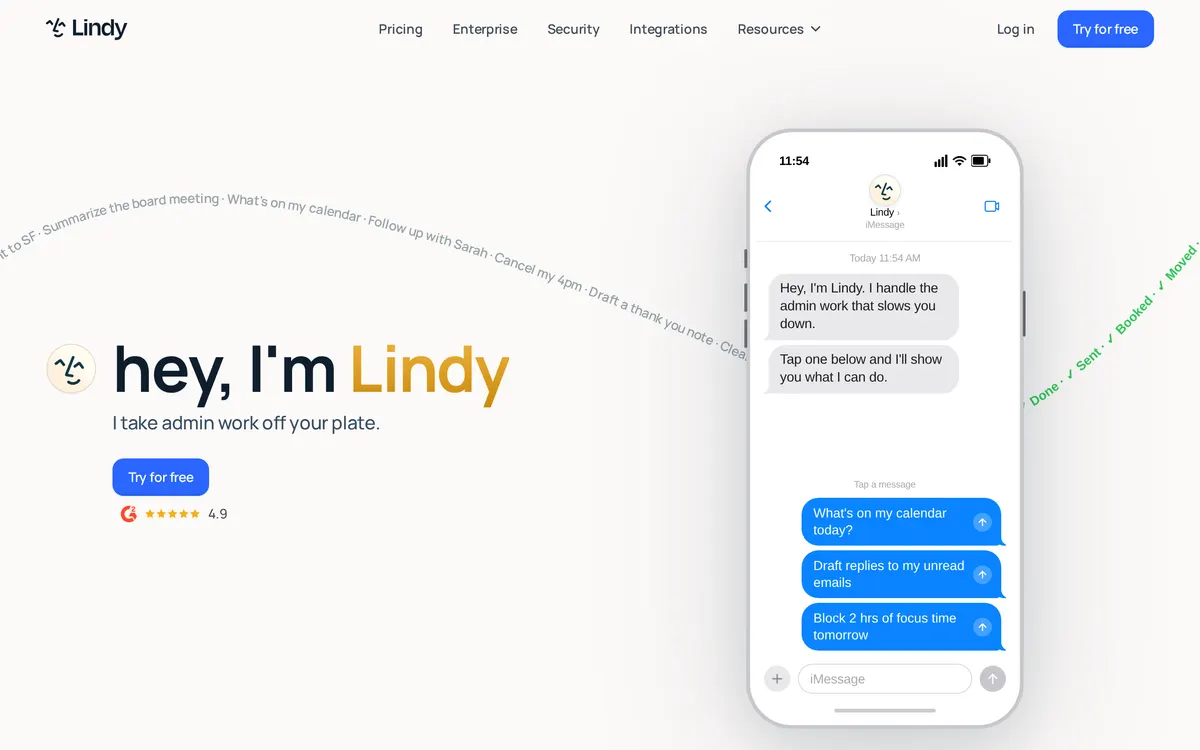
Lindy handles inbox triage, meeting scheduling, note-taking, and follow-ups across connected business applications. Professionals can delegate tasks directly via SMS or iMessage without opening a separate dashboard. The tool integrates with platforms including Gmail, Outlook, Google Calendar, Slack, and Notion.

Microsoft Copilot
AI companion for answers advice and file interactions

Microsoft Copilot functions as an AI digital companion accessible on the web and through an iOS app. Users can sign in using Microsoft, Google, or Apple accounts to upload files and access unlimited Voice functionality. The system maintains conversation memory to personalize interactions across user sessions.
At a glance
Capability tags are factual labels we assign when a tool is added; they describe what a tool does, not how well it does it.
Checked against the vendors. Written from each vendor's own site and last re-checked there: Lindy on August 31, 2026 · Microsoft Copilot on August 31, 2026. Vendors change pricing and features without notice, so confirm anything that decides your purchase on the vendor's page.
Also in agents
A tool we have an affiliate relationship with. It is not part of the comparison above and we are not calling it the better pick.

- Orchestrating AI agents and automations across enterprise departments
- Managing governance and compliance for business workflows at scale
- Generating process design documents and automation roadmaps
Key features
Lindy
- Email inbox triage, priority labeling, and response drafting
- Meeting preparation briefs, live notes, and recap emails
- Calendar coordination and automated meeting scheduling
- Mobile task delegation via SMS and iMessage
Microsoft Copilot
- Voice interaction without limits
- File upload support
- Persistent memory across conversations
- Sign-in support for Microsoft, Apple, and Google
What each one does well
Lindy
- ✓ Delegating administrative work through iMessage or SMS
- ✓ Triaging email inboxes and drafting contextual replies
- ✓ Automating calendar scheduling, meeting recaps, and CRM updates
Microsoft Copilot
- ✓ Interacting with an AI assistant through continuous voice conversations
- ✓ Uploading files to receive factual feedback and straightforward answers
- ✓ Maintaining persistent conversation memory across signed-in sessions
People also ask
What is the difference between Lindy and Microsoft Copilot?
Both are tracked for ai-agents. Of the capabilities they do not share, only Lindy is tracked for calendar, email-writing, meeting-notes, scheduling, workflow-automation, and only Microsoft Copilot is tracked for ai-chat, notes.
How much do Lindy and Microsoft Copilot cost?
Lindy: from $29.99/mo. Microsoft Copilot: free.
Answers are generated from the tracked plans and capability tags shown above, so they move when the vendors' pages do.
Full fact sheets, FAQs, and discussion links: Lindy · Microsoft Copilot · all agents tools