Bolt.new vs Windsurf
Cheapest paid tier each vendor publishes. Free plans are listed above; tiers priced on request are not plotted because there is no figure to plot.
Where they differ
Only on Windsurf
- Lower entry price: $20/mo against $25/mo
- Agentic coding
- Code completion
- Code review
- Also on macOS, Windows and Linux
From the pricing tiers and capability tags we track. A capability missing on one side means we have not recorded it there, not that the tool cannot do it.
At a glance
Bolt.new and Windsurf both appear in this directory's code listings. Prices below were read from the vendors' own pages, most recently on October 26, 2026. Paid plans start at $25/mo on Bolt.new and $20/mo on Windsurf. We track app generation on Bolt.new and agentic coding on Windsurf; both cover ai agents. No score and no winner: the facts do the picking.
Capability tags are factual labels we assign when a tool is added; they describe what a tool does, not how well it does it.
Checked against the vendors. Written from each vendor's own site and last re-checked there: Bolt.new (under review since October 26, 2026) · Windsurf on October 12, 2026. Vendors change pricing and features without notice, so confirm anything that decides your purchase on the vendor's page.

Bolt.new
Build and deploy AI apps quickly
Bolt.new is a platform for building and deploying AI applications. It supports no-code and low-code development, allowing integration with any API. Users can run Python, JavaScript, or other languages within the environment.
Windsurf
Agent-first coding IDE, now shipping as Cognition's Devin Desktop
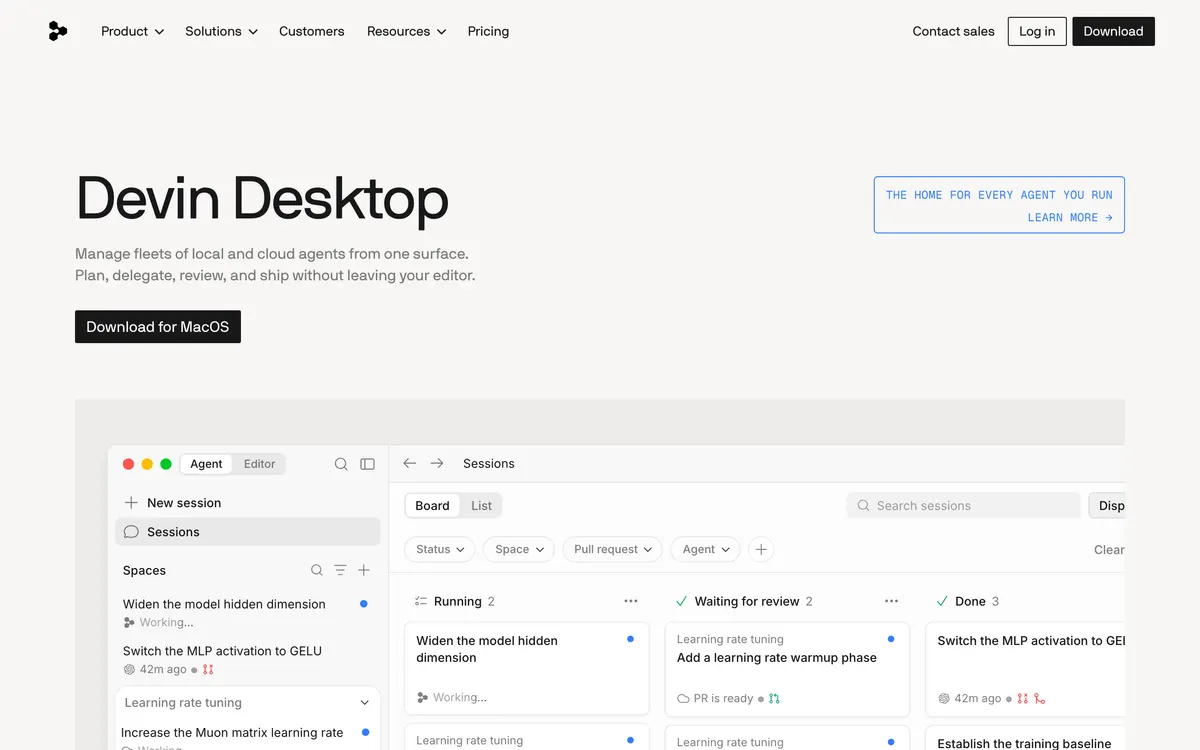
Windsurf is a standalone AI coding IDE from Cognition, the company behind Devin, and windsurf.com now redirects to it as Devin Desktop. It runs coding agents alongside a normal editor, with an Agent Command Center for supervising several at once. Plans start at a free tier, with Pro at $20 a month.
Also in code
A tool we have an affiliate relationship with. It is not part of the comparison above and we are not calling it the better pick.

- Turning an idea into a working prototype without writing code
- Rebuilding an interface from a screenshot or a document
- Shipping a small app to a real domain in one sitting
Key features
Bolt.new
- Build AI applications
- Deploy AI applications
- Supports no-code and low-code
- Integrate with any API
- Cloud IDE
Windsurf
- Agent Command Center for running several agents at once
- Kanban view for tracking agent tasks
- Fast Context codebase search
- Supercomplete predictive editing
- Multiple models via the Agent Client Protocol
What each one does well
Bolt.new
- ✓ Building and deploying custom AI applications
- ✓ Integrating various APIs into AI workflows
- ✓ Rapid prototyping of AI solutions
Windsurf
- ✓ Supervising several coding agents on one codebase
- ✓ Working in an editor built around agents rather than autocomplete
- ✓ Teams that want agent tasks tracked on a board
People also ask
Which is cheaper, Bolt.new or Windsurf?
Windsurf is cheaper: paid plans start at $25/mo for Bolt.new and $20/mo for Windsurf.
Does Bolt.new or Windsurf have a free plan?
Both Bolt.new and Windsurf publish a free plan.
What is the difference between Bolt.new and Windsurf?
Bolt.new and Windsurf are both tracked for ai-agents. Of the capabilities they do not share, only Bolt.new is tracked for app-generation, no-code, cloud-ide, deployment, developer-api, and only Windsurf is tracked for agentic-coding, code-completion, code-review, ide-integration, codebase-context.
How much do Bolt.new and Windsurf cost?
Bolt.new: free plan, then $25/mo. Windsurf: free plan, then $20/mo.
Answers are generated from the tracked plans and capability tags shown above, so they move when the vendors' pages do.
Full fact sheets, FAQs, and discussion links: Bolt.new · Windsurf · all code tools