
Prezi
AI powered presentation platform with a zoomable non linear canvas
By Daily AI Tools · Last updated · How we track tools
Last confirmed: against prezi.com. Information may have changed since then; check the vendor before you buy. How we check.
Compiled from public sources, not a hands-on review. We don't publish ratings or scores.
These links are affiliate links: we may earn a commission if you sign up, at no extra cost to you. It does not affect what we track or how Prezi is listed. How we make money
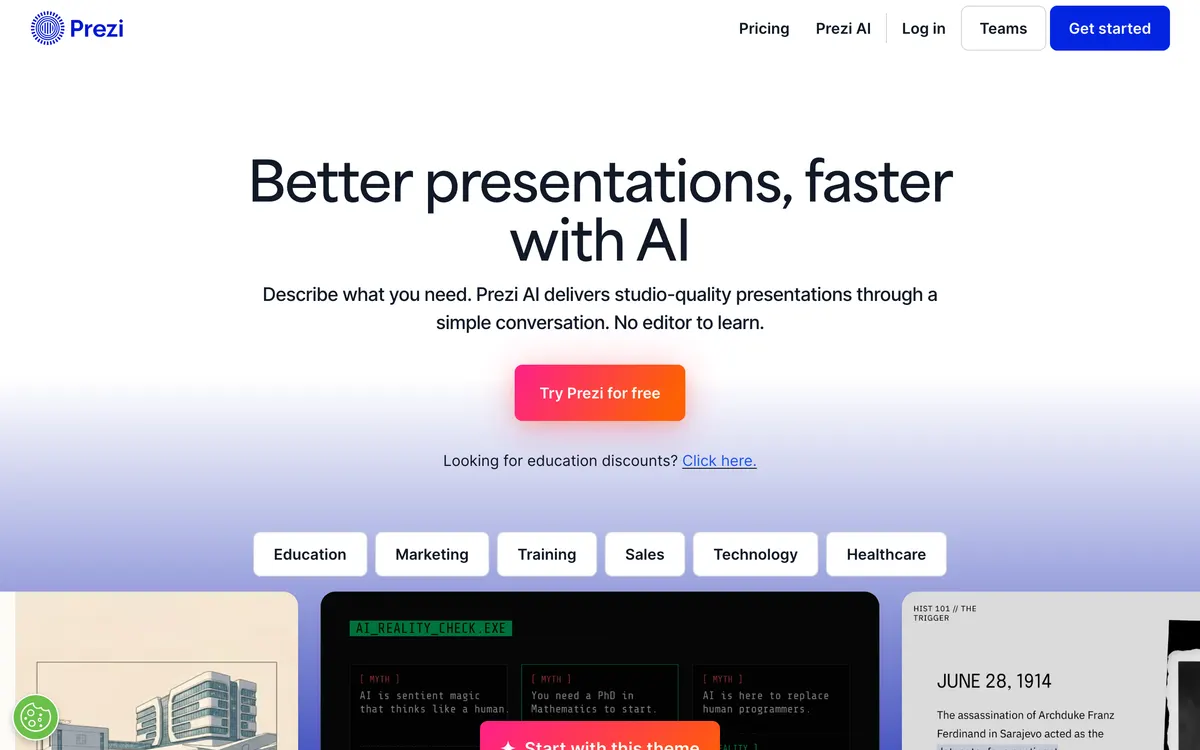
The platform combines prompt-based content generation with real-time video overlay capabilities through Prezi Video, which places the speaker alongside content during virtual calls. Presenters can navigate topics fluidly during live sessions or export finished materials as PDF files and recorded video presentations. Subscriptions include individual and team tiers, supported by a desktop application for offline access.
- Works on:
- Web, macOS, Windows, iOS
- Integrates with:
- Zoom, Microsoft Teams, Google Meet
What Prezi costs
As printed on prezi.com on August 31, 2026
Figures are copied from the vendor's own pricing page, never calculated or converted, and a tier we could not confirm is left out rather than estimated. Pricing changes without notice. Check prezi.com before you buy ↗
Compare Prezi
Ordered by how often each comparison is searched, taken from Google's autocomplete suggestions. Pricing on both sides comes from the vendors' own pages.
All Prezi alternatives

What Prezi does well
- ✓ Creating non-linear zoomable presentations
- ✓ Overlaying presenter video on presentation content for virtual meetings
- ✓ Converting existing PowerPoint and Word documents into dynamic visual presentations
Key features
- Zoomable open canvas for non-linear presentation navigation
- AI prompt-based presentation and outline generator
- Prezi Video presenter overlay for live meeting software
- Document conversion from PPTX, PDF, and DOCX formats
- Prezi for Desktop application for offline presenting
People also ask
How does Prezi Video work with video conferencing software? +
Prezi Video overlays presenter video directly onto presentation content on screen. It connects directly with tools like Zoom, Microsoft Teams, and Google Meet.
Can existing PowerPoint presentations be imported into Prezi? +
Yes, Prezi AI can import PowerPoint (.pptx), PDF, and Word (.docx) files and automatically convert them into dynamic Prezi presentations.
Does Prezi support offline presentation editing and presenting? +
Offline editing and presenting are supported through the Prezi for Desktop application on select plan tiers.
Is Prezi free? +
No. Prezi publishes no free plan. Paid plans start at $7/mo.
How much does Prezi cost? +
Prezi lists 3 plans: Standard at $7/mo, Plus at $19/mo, Premium at $29/mo.
What platforms does Prezi run on? +
Prezi runs on Web, macOS, Windows, iOS.
What does Prezi integrate with? +
Prezi officially integrates with Zoom, Microsoft Teams, Google Meet.
At a glance
- Pricing model
- freemium
- Category
- productivity
- Website
- prezi.com ↗
- Featured on
- Capabilities
- presentations templates ai-generation video-generation
A new AI tool every weekday, in your inbox
Tools like Prezi, delivered daily. No hype, 30 seconds to read. Free, unsubscribe anytime.
Pricing & Product Hunt
We track and organize AI tools. We don't rate them. These links go to the tool's own listing and discussion pages so you can judge for yourself.
More productivity AI tools
View all productivity tools →
AI-powered cloud VoIP and call center platform

Time blocking productivity app combining calendar tasks and inbox

AI operating system combining apps, agents, and automated workflows

AI meeting assistant for transcription, summaries, and conversation intelligence